
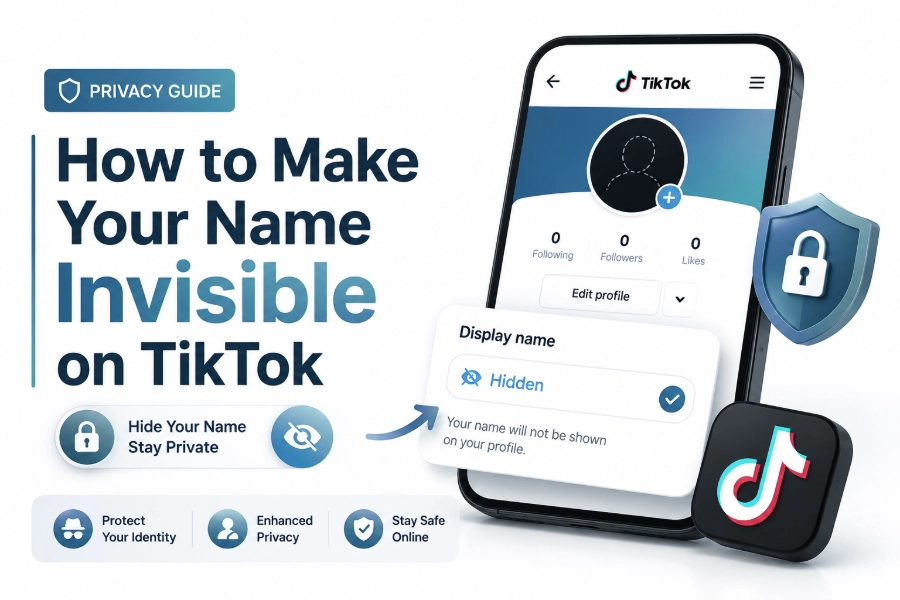
Many users search for how to make your name invisible on TikTok because they want a cleaner profile, a mysterious look, or a simple way to stand out. TikTok does not offer an official blank name option, but special invisible characters can create that effect.
An invisible TikTok name works by placing a Unicode blank character in the name field. TikTok may read the character as valid text, even though viewers see little or nothing displayed where your profile name usually appears.
This method is different from deleting your name completely. TikTok still requires something in the display name field, so the goal is to use a character that fills the requirement without showing visible letters, symbols, or numbers.
Why People Use an Invisible TikTok Name
An invisible name gives a TikTok profile a minimal and unusual appearance. Some creators use it to make their profile picture, username, or video content stand out more than the display name itself.
Others use a blank-looking name for branding. A music account, aesthetic page, meme profile, or anonymous creator account may feel more consistent when the visible name area is empty or almost empty.
It can also help users create curiosity. When someone sees a profile without a normal display name, they may pause longer, check the username, and remember the account because it looks different from typical TikTok profiles.
Quick Notes Before Changing Your Name
Keep these points in mind before using an invisible
- TikTok can change how it handles blank characters at any time.
- Your username and display name are not the same thing.
- Invisible names may not appear the same on every device.
- Some blank characters may fail when saved.
- You can usually change your display name again later.
- A clear username still helps people find your account.
If you care about personal branding, use the invisible name carefully. A blank display name can look stylish, but it may also make your account harder to recognize in comments, messages, search results, and follower lists.
For a stronger profile identity, you can also read our TikTok username ideas guide. It can help you choose a searchable username while keeping your display name simple, clean, or invisible.
The Safe Way to Make Your Name Invisible
The safest method is to use an invisible Unicode character that TikTok accepts in the display name field. These characters are not ordinary spaces, because TikTok often removes normal spaces when they appear alone.
To try it, copy an invisible character from a reliable source, open TikTok, go to your profile, tap edit profile, and paste the character into the name field. Save the change and check your profile from another device if possible.
If TikTok rejects the change, try a different invisible character. Some blank characters work on certain app versions but fail on others. This is normal because TikTok updates profile rules and text handling over time.
Step-by-Step Name Change Process
Open the TikTok app and go to your profile page. Tap the edit profile button, then select the name field. Remove the current display name, paste the invisible character, and save the updated profile information.
After saving, return to your profile and check how the name appears. If the space looks empty, the method worked. If TikTok shows a symbol, square, dot, or error message, the character was not accepted properly.
You can also ask a friend to view your profile. Some invisible characters appear blank on your phone but show differently on another operating system, browser, or TikTok app version.
Common Invisible Character Options
Invisible characters are special text characters with no obvious visual shape. They are often used for formatting, language support, or spacing in digital text systems, but users sometimes repurpose them for profile names.
Common options include zero-width space, hangul filler, braille blank, and similar Unicode spacing characters. TikTok may accept one and reject another, so testing is part of the process.
Avoid copying invisible characters from random comment sections if possible. Some may include extra symbols, tracking text, or unwanted formatting. A clean invisible character is better than a messy copied string that creates profile errors.
Things That Usually Work Better
These options tend to be more reliable than using a normal
- A single invisible Unicode character.
- A blank character copied without extra punctuation.
- A short invisible character string instead of a long one.
- A display name change made inside the official TikTok app.
- A quick profile check after saving.
- A backup visible name ready in case the blank one fails.
Some users paste several invisible characters together. This may work, but it can also look like an odd gap in notifications or profile lists. A shorter invisible name is cleaner and easier to replace later.
If your profile supports a business, service, or public creator brand, balance style with recognition. You can keep a visible username and use the blank display name only when it fits your content strategy.
Invisible Name Versus Invisible Username
Your TikTok display name is the profile name shown near your account identity. Your username is the handle with the @ symbol. These two fields work differently and have different rules.
You may be able to make your display name look invisible, but you cannot make your username completely blank. TikTok usernames must remain unique and visible because they are used for profile links, tagging, search, and account identification.
This matters because people may still find you through your username. If your display name is invisible, your username becomes more important for recognition, search traffic, and audience memory.
SEO and Profile Visibility Impact
An invisible TikTok name can look interesting, but it may reduce profile clarity. TikTok search relies on account signals, including username, profile name, bio text, captions, engagement, and content relevance.
If your display name contains no readable words, TikTok has less text to connect your account with topics or names. This may not matter for casual users, but it can affect creators who want search visibility.
For creators, a smart compromise is to keep the username keyword-rich or brand-focused. Then the display name can be minimal without removing every useful signal from the profile. Read our TikTok bio optimization guide for more profile visibility tips.
When an Invisible Name Makes Sense
An invisible display name works well for aesthetic accounts. If your videos use visual storytelling, edits, mood boards, art, or faceless content, a blank-looking name can match the tone of the page.
It can also suit anonymous commentary accounts. Some users prefer the content to speak first, while the username quietly identifies the account in a less obvious way.
For personal brands, educators, coaches, shops, and service providers, a visible name usually works better. People trust accounts more easily when they can read a clear name, especially before following, messaging, or buying.
When to Avoid an Invisible Name
Avoid an invisible name if your audience needs to remember you quickly. A blank display name may look stylish, but it gives viewers less information when they see your comments, shares, or profile preview.
It is also less practical for networking. If another creator wants to mention you, save your contact, or recognize your account later, a blank display name can create friction.
You should also avoid it during campaigns, collaborations, or launches. During those periods, clarity often matters more than mystery. A readable display name can help viewers connect your content with your offer, topic, or brand.
Problems You May Face
TikTok may refuse to save an invisible character. This usually happens when the app detects the field as empty or unsupported. Trying another character often solves the issue, but there is no permanent guarantee.
Another issue is inconsistent display. Your profile may look blank on one device while showing a box or odd spacing on another. This depends on fonts, operating systems, app versions, and Unicode support.
You may also forget which character you used. If you want to reverse the change, simply return to the name field, select the invisible content, delete it, type a normal display name, and save the profile.
How to Fix a Failed Invisible Name
If TikTok shows an error, close the app and reopen it before trying again. Sometimes the profile editor glitches after repeated changes, especially when copying unusual characters from another app or browser.
If the blank character appears as a box, delete it and try a different invisible character. A visible box means your device or TikTok version is not rendering the character as blank.
If the name saves but looks wrong, replace it with a simple visible name for a short time. Then retry later. TikTok profile systems may behave differently after app updates, cache refreshes, or server-side changes.
Best Practices for a Clean TikTok Profile
Use an invisible display name only when the rest of your profile still makes sense. Your profile photo, username, bio, pinned videos, and content style should help visitors understand who you are.
Keep your bio clear if your name is invisible. A short bio can explain your content category, tone, or purpose without making the profile feel empty or confusing.
Your pinned videos can also carry identity. If the name field is blank, pin videos that represent your niche, personality, or strongest content. This gives new visitors context without relying on the display name.
Privacy and Safety Considerations
An invisible TikTok name does not make your account private or anonymous. People can still see your username, videos, profile photo, comments, likes if public, and other account activity based on your settings.
If privacy is your goal, review your account settings instead. You can limit comments, manage mentions, control direct messages, restrict downloads, and switch to a private account when needed.
Do not use an invisible name to impersonate others, hide harmful behavior, or avoid platform rules. TikTok can still identify accounts internally, and users can report profiles even when display names look blank.
Branding Tips for Creators
If you create content professionally, treat the invisible name as a design choice. It should support the profile experience, not weaken your identity or make your account harder to remember.
A strong username can carry the brand while the display name stays invisible. Choose a username that is short, readable, and connected to your niche, name, or content category.
You can also use the invisible name temporarily. For example, it may fit a teaser campaign, visual rebrand, or themed content series. After that, returning to a visible name may improve recognition again.
Mobile and Desktop Differences
TikTok profile editing is usually easiest through the mobile app. The app gives direct access to the name field, profile preview, and save button in a familiar flow.
Desktop behavior may vary. Some browser versions handle copied invisible characters differently, and pasted text may include hidden formatting. If the desktop method fails, retry from the mobile app.
Always check the final appearance after saving. Since invisible characters rely on rendering behavior, the result can differ across iPhone, Android, web browsers, and older app versions.
How Often You Can Change Your TikTok Name
TikTok may limit how often certain profile details can be changed. Display name rules are usually more flexible than username rules, but limits can still appear depending on account activity and platform updates.
If you change your name too often, TikTok may temporarily block additional edits. This is another reason to test carefully and avoid repeatedly pasting random invisible characters.
Before making the change, decide whether the blank look fits your profile for at least a short period. A little planning helps avoid edit limits, profile confusion, and unnecessary testing.
Conclusion
Learning how to make your name invisible on TikTok is mostly about using a blank Unicode character that TikTok accepts in the display name field. The method is simple, but results can vary by device, app version, and platform rules.
An invisible name can give your profile a clean, mysterious, or aesthetic style. It works best when your username, bio, profile image, and content still make the account recognizable and easy to follow.
For casual users, the effect can be fun and simple. For creators or brands, it should be used with care because a readable display name can support trust, search visibility, and audience recall.
Frequently Asked Questions
Can I make my TikTok username invisible
No, TikTok usernames cannot be completely invisible because they are used for account links, tagging, search, and identity. You may create an invisible-looking display name, but your @username must remain visible and unique.
Why is my invisible TikTok name not saving
TikTok may reject the character because it reads the field as empty or unsupported. Try another invisible Unicode character, update the app, restart TikTok, and paste only the blank character without extra spaces or symbols.
Will an invisible name affect my TikTok reach
It may affect profile clarity, but it does not directly stop videos from reaching viewers. Content quality, watch time, engagement, captions, niche relevance, and consistency usually matter more than whether your display name is visible.
Can people still find my account
Yes, people can still find your account through your username, profile link, videos, comments, mentions, and search signals. If your display name is invisible, your username and bio become more important for recognition.
Is an invisible TikTok name allowed
TikTok may allow certain invisible characters, but platform rules can change. The name should not be used for impersonation, spam, or misleading activity. If the character stops working, switch back to a readable display name.
0 Comments